I spent the last few weeks building an AI command center from scratch and put the code on GitHub. Twelve JavaScript files, zero dependencies, no build step. You open index.html in a browser and you have 28 models across Groq and OpenRouter, adversarial shadow auditing that fact-checks every fourth response, entity extraction that builds a knowledge graph across sessions, and a pixel-art avatar with a breathing animation and chiptune sound design. The whole thing is at github.com/mikjgens/freeAI — or try it live right now, no install needed.
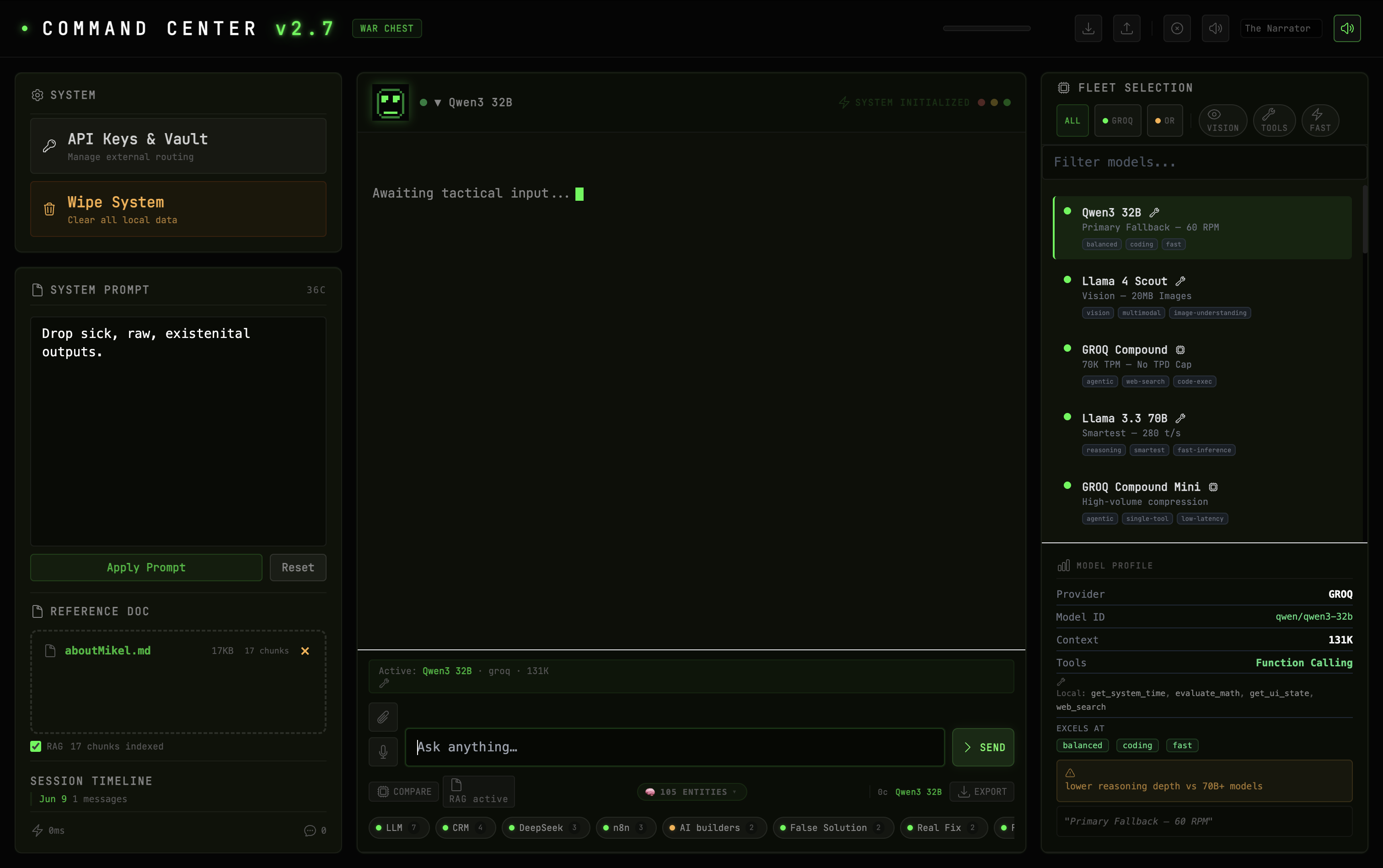
The Command Center in its initialization state. Empty sidebar, fleet selector showing 28 models, and the system awaiting tactical input.
Here's why I built it and what's actually in the code.
- freeAI is 12 vanilla JS files. No framework, no build tool, no npm. Open index.html and you're running. github.com/mikjgens/freeAI
- 28 free-tier models from two providers. 8 Groq models (Llama 4 Scout, Qwen3 32B, Llama 3.3 70B, GROQ Compound). 20 OpenRouter models (Kimi K2.6, Nemotron-3 Super, Qwen3 Coder, Gemma 4 31B). Two free API keys and you have the fleet.
- Adversarial shadow model audits responses. A second model silently checks every fourth answer. Each sentence gets green (agreed), amber (uncertain), or red (disputed) underlines. Hover to see what was flagged.
- Session intelligence watches for drift. Every 4 messages, a background LLM call scans for contradictions, unresolved questions, and topic drift. It surfaces non-intrusive notice cards with clickable follow-ups.
- Delta Mode compares 4 models side-by-side. Same question, same system prompt, no conversation history. Staggered dispatch prevents rate-limit collisions. Clean A/B test.
The Problem
AI chat UIs fall into two camps and both of them are broken.
Camp one: SaaS products. ChatGPT, Claude, Perplexity. Monthly subscriptions, usage caps, your data shipped to analytics providers. Good products, but you're renting a UI someone else controls. If they deprecate a model or change the interface, that's your workflow getting disrupted.
Camp two: open-source wrappers. Someone publishes a chat UI on GitHub, usually React or Next.js, calling one API endpoint, requiring npm install and a build step and environment variables. You get one model behind a chat box. No context management. No fallback when the provider goes down.
Neither one gives you what you actually need: a tool. Not a product. Not a demo. Something you pick up, use, modify, and own.
What I Built
freeAI loads 12 JavaScript files from a single HTML page. Here's the architecture:
| File | Lines | What it does |
|---|---|---|
app.js |
1,480 | Orchestrator: sendMessage, delta queries, shadow audit, entity extraction, ambient watcher, voice input, event wiring |
dom.js |
1,006 | All DOM rendering: chat messages, model list, context meter, streaming output, delta grid, shadow annotations, knowledge graph chips |
avatar.js |
333 | 16×16 procedural pixel-art sprite engine with 5-state expression machine, breathing, blink, pupil tracking, error flash |
state.js |
228 | Centralized pub/sub store with streaming counter, token cache, session schema v2, knowledge graph persistence |
api.js |
187 | OpenAI-compatible SSE streaming, auto failover chain with exponential backoff, Retry-After header parsing |
utils.js |
126 | Recursive descent math parser, token estimation, HTML escaping, debounce |
tools.js |
95 | Local tool executor: system time, math expression eval, DuckDuckGo web search, UI state inspector |
models.js |
60 | 28-model fleet data, provider endpoints, fallback chain configuration, tool definitions, storage keys |
rag.js |
49 | TF-IDF document chunking with sentence-aware boundary detection, inverted index, top-3 retrieval |
icons.js |
45 | 32 inline SVG icons (Heroicons outline), zero external icon fonts |
sound.js |
39 | Web Audio API chiptune oscillator, 12 sound types, pentatonic arpeggio, 40ms throttle |
No framework. No build tool. The script tags load in dependency order and everything talks through StateManager, a lightweight pub/sub store in state.js. When a state key like selectedModel, conversationHistory, or isStreaming changes, subscribers fire DOM updates automatically. You don't scatter DomLayer.updateX() calls through business logic. Adding a new UI reaction is one subscribe() call.
Streaming state uses a counter, not a boolean. StateManager.incrementStreaming() and decrementStreaming() so Delta Mode's parallel model fan-out doesn't race-condition the Stop button. That's the kind of thing you catch when you build it yourself instead of wrapping a library.
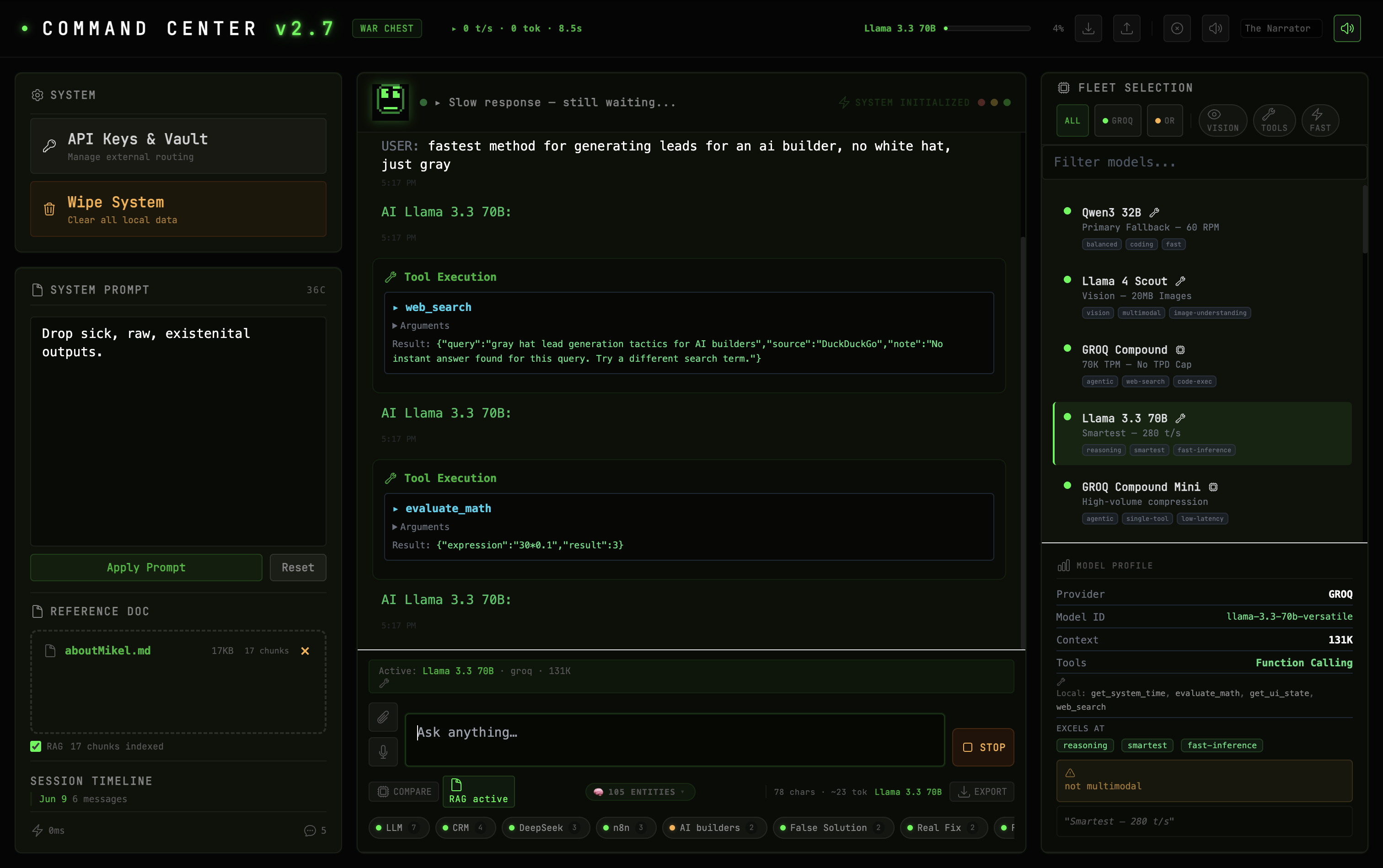
Tool calling in action. The system executing web_search and evaluate_math inline during a conversation with Llama 3.3 70B.
The Ambient Intelligence
The chat interface is table stakes. Any competent developer can wire a textarea to an SSE endpoint in an afternoon. What makes freeAI different is what runs around the conversation.
Adversarial Shadow Model
Every fourth response gets silently audited. The system picks the cheapest available model: Llama 3.1 8B Instant on Groq if you've got the key, or whatever fast model you have configured. It sends a structured prompt:
The shadow model evaluates each sentence and returns a confidence level. The app parses the JSON, splits the response into sentences, and applies CSS classes directly to the rendered text: shadow-high (green underline, agreed), shadow-medium (amber dotted underline, uncertain), shadow-low (red dashed underline, disputed). Hover any annotated sentence to see what the shadow flagged.
This isn't a confidence score in a sidebar. It's embedded in the words you're reading. If the shadow model thinks a claim is weak, you see it the moment your eyes hit that sentence.
Session Intelligence Watcher
Every 4 messages, the same background loop fires a second LLM call. It compiles the last 10 exchanges and sends them with another structured prompt:
If the watcher finds contradictions, unresolved questions, or topic drift, it surfaces a non-intrusive // Notice: card in the chat. Unresolved questions render as clickable links. Click one and it populates the input field for a follow-up. You don't have to remember what you asked four exchanges ago. The system does.
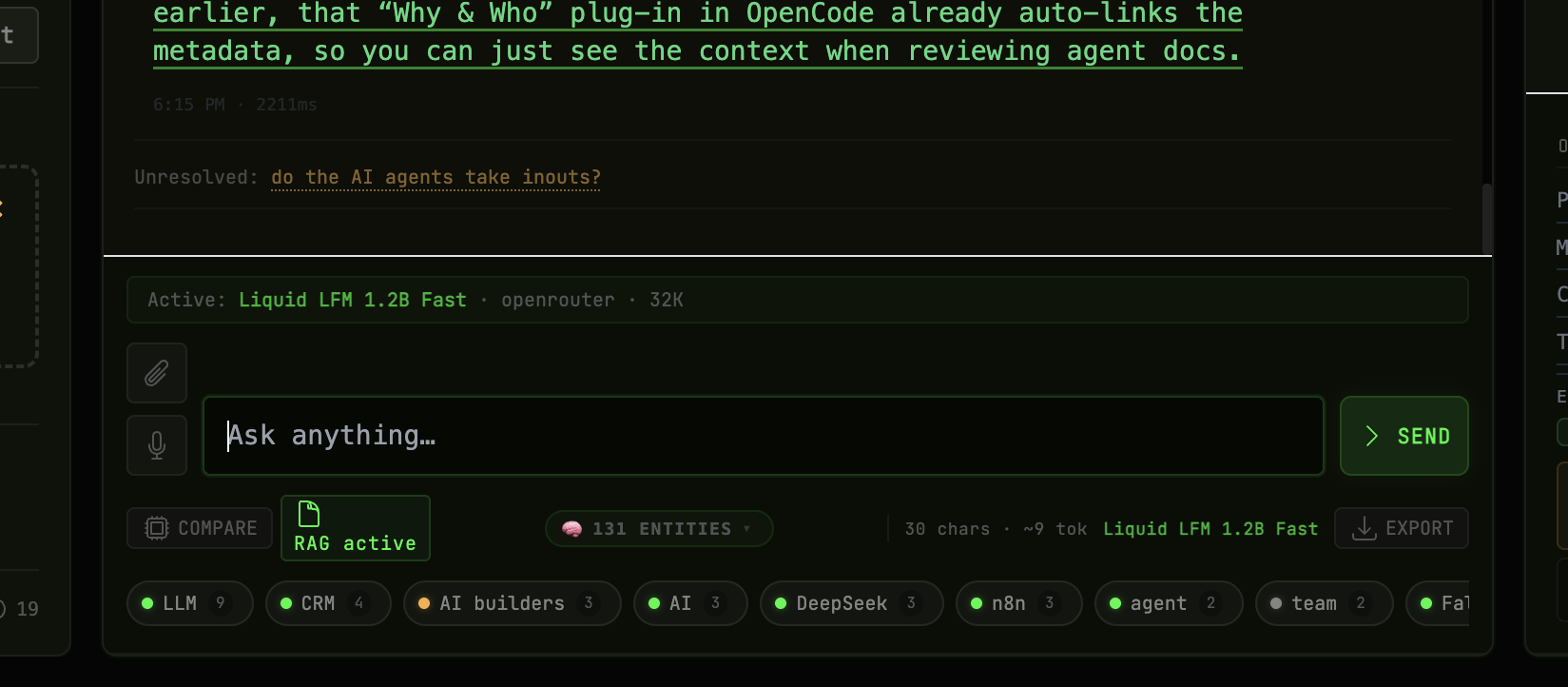
The Session Watcher automatically surfacing an unresolved question as a clickable follow-up link below the model's response.
Knowledge Graph
Every response fires entity extraction in two passes. Pass one is local: regex-based extraction of named entities (capitalized multi-word phrases), acronyms (2-8 uppercase characters), and quoted phrases (3-60 characters). A stop-word filter removes common words. Results are upserted into a persistent entity store.
Pass two fires when a cheap model is available: sub-LLM enrichment that classifies each entity as concept, person, decision, or question. The entities render as a chip rail above the composer, color-coded by type. Click any chip to see its relationships. The graph persists in localStorage under war_chest_graph and accumulates across every session.
Delta Mode
Toggle Delta Mode and your next query fans out to four models simultaneously. The system picks candidates by tags from the fleet: the fastest model, the deepest reasoning model, the most creative model, plus your currently selected model. Dispatch is staggered: Groq models fire at 2-second intervals and OpenRouter at 1.5-second intervals to avoid rate-limit collisions across providers.
All four receive the same system prompt and the same question with no conversation history. Responses render side-by-side in a CSS grid. Same input, different brains. You can see immediately which model is stronger on a given question.
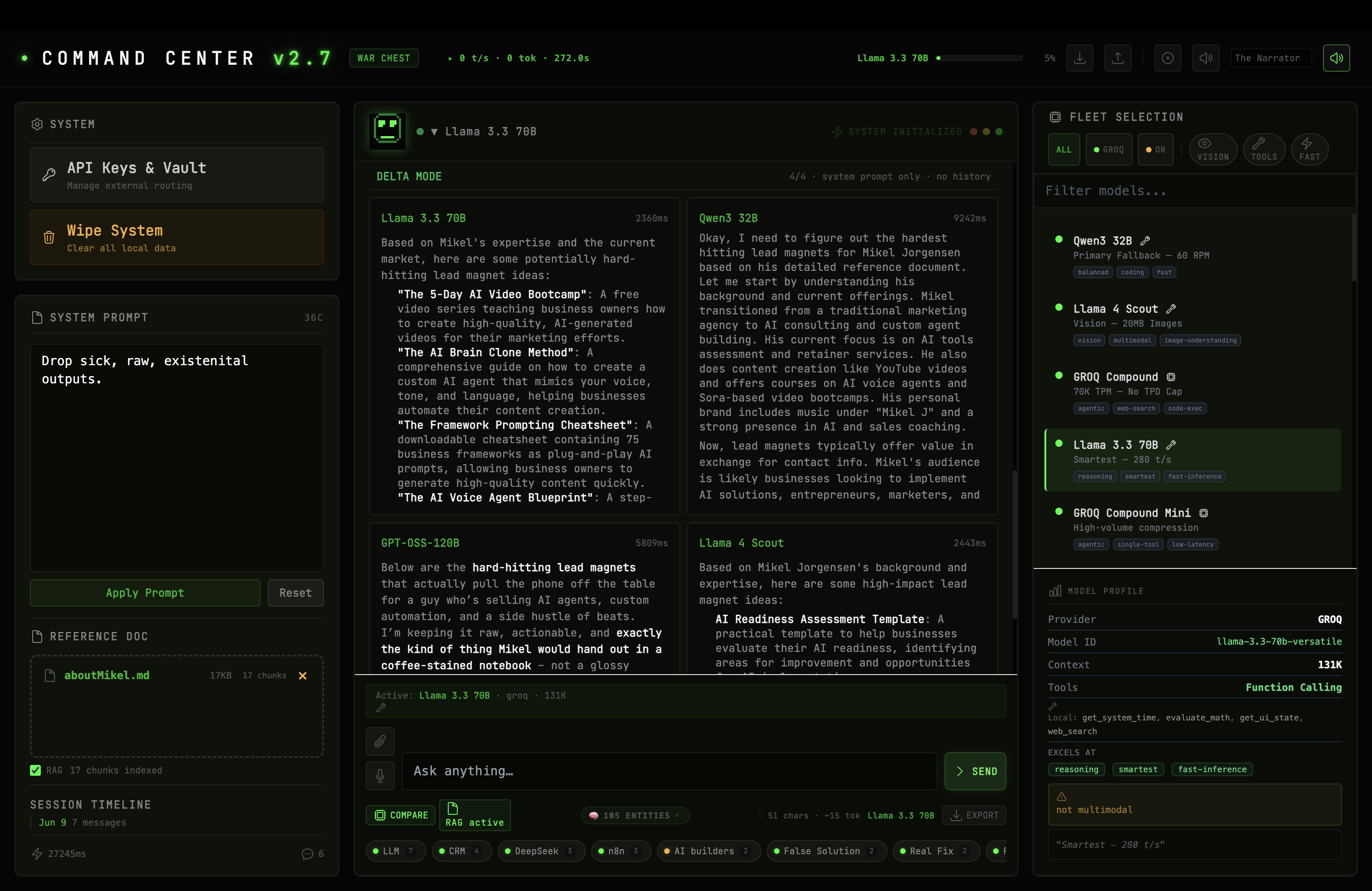
Delta Mode comparing four models on the same question. Staggered dispatch prevents rate-limit collisions.
All of this runs in the browser. The background LLM calls for shadow audits, entity enrichment, and session watching are fired as fetch requests from your machine directly to the provider APIs. There's no server in the middle.
The Fleet
Twenty-eight models. Here's what's actually in the fleet definition at models.js:3-31:
| Provider | Model | Context | Tools | Notable |
|---|---|---|---|---|
| Groq | Llama 4 Scout | 131K | Function Calling | Vision, 20MB images |
| Groq | GROQ Compound | 131K | Built-in | Web search, code execution, browser automation |
| Groq | Llama 3.3 70B | 131K | Function Calling | 280 tokens/sec, smartest in fleet |
| Groq | Llama 3.1 8B | 131K | Function Calling | 500K TPD, used for background shadow/watcher calls |
| OpenRouter | Kimi K2.6 | 262K | Function Calling | Agent swarm: 100+ agents |
| OpenRouter | Nemotron-3 Super | 1M | Function Calling | Deep logic, 120B parameters |
| OpenRouter | Qwen3 Coder | 1M | Function Calling | Best coding model in fleet |
| OpenRouter | Gemma 4 31B | 262K | Function Calling | Frontier reasoning from Google |
The fleet panel in the right sidebar shows all 28. Filter by provider, by capability (vision, tools, speed), or by free-text search. Click a model to see its full profile: provider, model ID, context window, tool support, tags, and its known weakness. Every model in the fleet has a documented weakness field.
The Guardrails
Running on free-tier APIs means you have to be smart about limits. The system bakes in specific protections:
TPM-aware trimming. Groq free-tier models have token-per-minute budgets (4,000 TPM for Qwen3 32B, 8,000 TPM for Llama 3.3 70B and Llama 3.1 8B). Before every send, the system estimates current token usage against the model's TPM budget and trims conversation history to fit. The trim function walks backward from the most recent message, keeping only what fits.
Rate limit retry. When a provider returns 429 or 413, the system doesn't just fail. It parses the Retry-After header from the response metadata, waits that duration, and retries up to 3 times with exponential backoff. If all retries fail on Groq, it walks the fallback chain to OpenRouter.
Image data scrubbing. After sending a message with an image attachment, the base64 data URL in the conversation history is replaced with an [image] placeholder. Without this, a single large image could push localStorage past its 5-10MB quota.
Sub-call cancellation. When you send a new message, any in-flight background calls (entity extraction, shadow audit, session watcher) are aborted via AbortController. The system doesn't let stale background work compete with your next query.
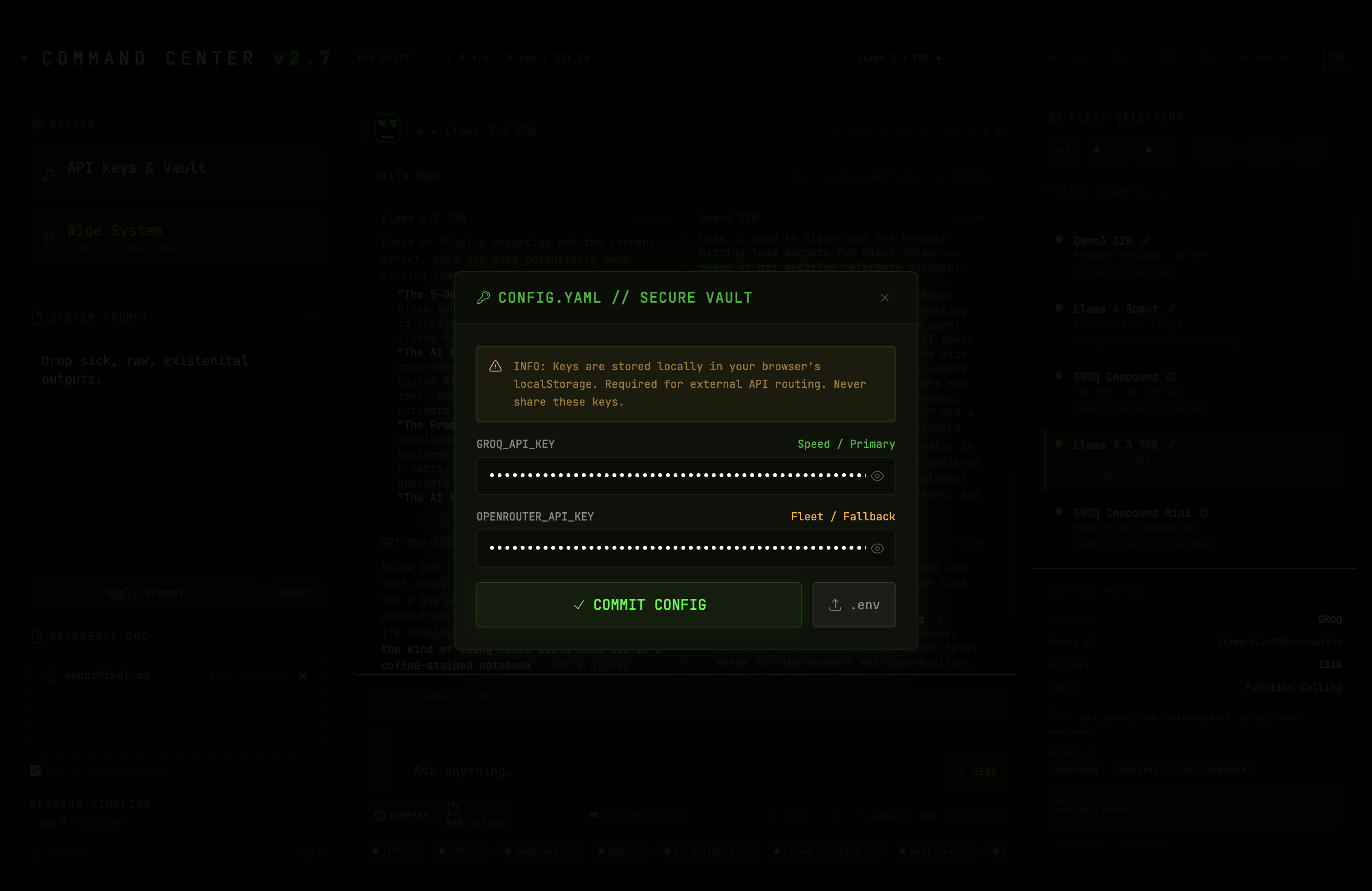
The CONFIG.YAML secure vault. API keys stored in browser localStorage with zero server-side persistence.
Why I Put It On GitHub
I didn't build freeAI to compete with ChatGPT. I built it because the thing I wanted didn't exist. Every AI chat UI I tried was either a subscription product or a thin wrapper with a dropdown menu. Neither gives you ambient intelligence. Neither lets you compare four models on the same question. Neither builds a persistent knowledge graph of everything you discuss. Neither fact-checks itself in the background.
I put the code on GitHub because that's where code goes when you want people to be able to read it. Twelve files. Vanilla JS. Every line of code that touches your data is right there in the repo. API keys stay in your browser's localStorage under keys prefixed with war_chest_ — they never leave your machine except when sent directly to the provider API you chose. There's no telemetry. No analytics. No backend.
To delete your keys: Open the CONFIG.YAML vault in the app and clear the fields, or click the WIPE SYSTEM button (you'll need to type DESTROY to confirm). This clears all localStorage data: keys, conversation history, knowledge graph, and settings. You can also clear specific keys via DevTools > Application > Local Storage > mikeljorgensen.com and delete any war_chest_* entries.
You can fork the repo and strip out everything except the chat interface and one model. You can add your own models, your own tools, your own system prompt. You can break it and fix it. It's a tool, not a service.
The repo is at github.com/mikjgens/freeAI. If you build something cool with it, I want to see it. If you find something broken, open an issue. If none of that happens and I'm the only person who ever uses it, that's fine too. I finally have the AI command center I actually wanted.